Table of Contents
Building Your First AI Persona: A Step-by-Step Plan
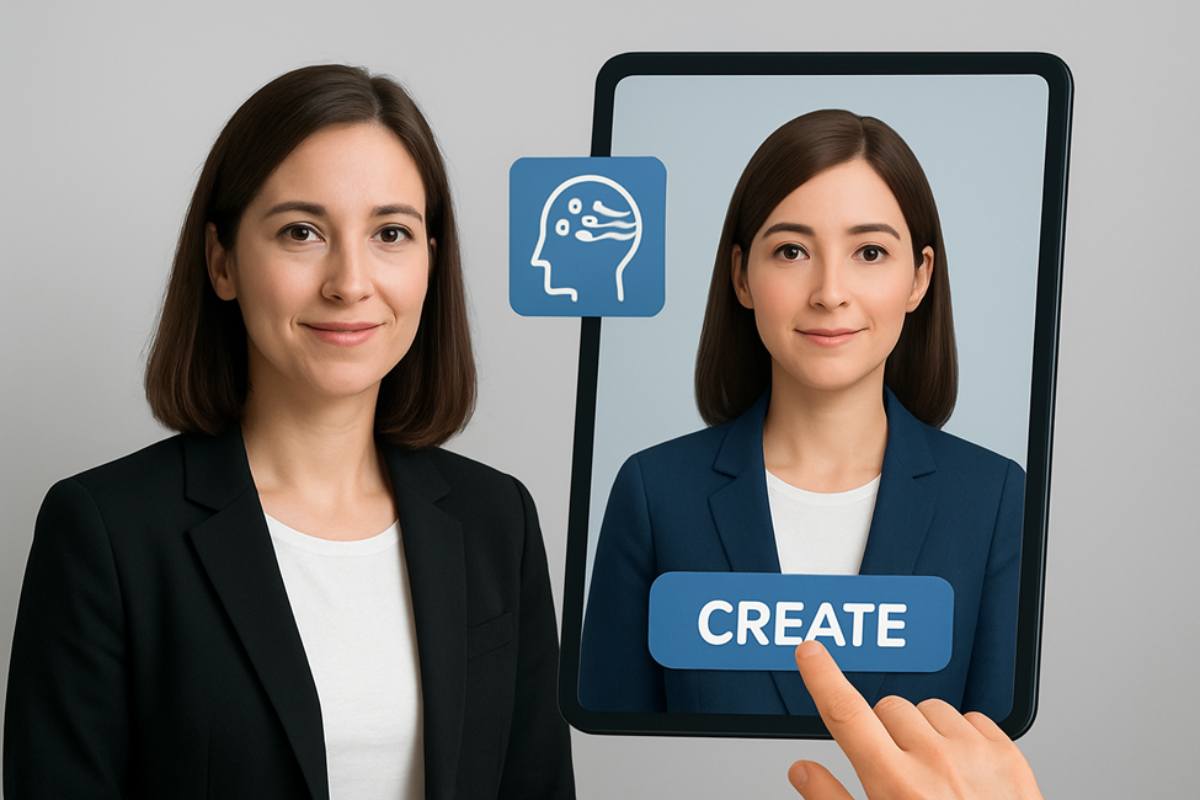
Creating an AI persona is no longer an idea reserved for sci-fi or experimental labs. In today’s digital ecosystem, you can design your own AI-driven avatar that serves as a presenter, a content creator, or even the face of your brand. With the rise of Augmented Reality and rapid AI developments, the possibilities for crafting a realistic, audience-ready persona are vast. If you’ve ever considered how to bring your content to life without the long prep hours of traditional recording, then building an AI persona is an excellent place to start. An AI human generator provides you with the tools to craft lifelike avatars that speak, move, and engage just like real presenters.
This guide walks you step-by-step through the process of building your first AI persona, ensuring it feels authentic, useful, and effective in your content strategy.
Step 1: Define Your Persona’s Purpose
Before jumping into design tools, you need clarity on why you’re creating an AI persona. Ask yourself:
- Will this persona be used for YouTube tutorials?
- Is it designed for podcasts or social media campaigns?
- Do you need it as a multilingual virtual presenter for global audiences?
Defining purpose helps you create a persona that aligns with your content goals. For instance, if you want a brand spokesperson, your AI persona should have a consistent look, tone, and style that can represent your values across multiple platforms.
Step 2: Explore AI Technology and Tools
Next, you’ll want to explore the technology behind AI human creation. Today’s AI human generator tools are built on deep learning, natural language processing, and computer vision. They analyze data to create realistic facial expressions, gestures, and speech patterns that feel human-like.
Brands like Invideo have incorporated this approach into their platform, allowing creators to design avatars quickly while also syncing them with spoken scripts. Whether you need a virtual presenter for explainer videos, a lifelike spokesperson for podcasts, or an avatar to lead webinars, the tech gives you control over voice, style, and delivery. This opens up opportunities for studio-quality visual content without costly setups.
In addition, many platforms pair seamlessly with video apps, making it simple to integrate your AI persona into existing workflows. This compatibility is essential for scaling your content production while keeping consistency across formats.
Step 3: Customize Visuals and Personality
Your persona’s visual appeal is central to how it connects with audiences. Choose physical attributes such as hairstyle, facial features, and clothing style to match the role you’ve envisioned. For example:
- A professional appearance may suit business presentations.
- A casual look might work better for YouTube channels or social media snippets.
Beyond visuals, consider the personality. Is the persona formal, humorous, approachable, or authoritative? Personality traits shape how audiences engage with your content and help build trust.
Step 4: Integrate Multilingual and Dynamic Features
The fact that AI personas can work in different languages and markets is one of their best features. With real-time translation and voice cloning, you can create content in multiple languages without recording each version separately. This feature allows you to expand globally while saving significant time.
Dynamic visuals also make your avatar more engaging. Imagine your AI persona as a virtual presenter, seamlessly switching between different backdrops, like a studio setting, a classroom, or a product demo environment. These features not only add polish but also ensure your content remains versatile.
Step 5: Test and Refine Your Persona
Once your persona is ready, testing becomes critical. Record short clips, analyze how natural the voice and movements feel, and gather feedback from a small audience. Small refinements, like adjusting tone, pacing, or gestures, can dramatically improve the final outcome.
Think of this as rehearsing with your AI co-presenter before rolling it out to a wider audience. The goal is to make the persona relatable, natural, and audience-focused.
Step 6: Apply Your Persona Across Channels
With a polished AI persona, you can now integrate it into your broader content strategy. Use it to:
- Host explainer videos on YouTube.
- Present multilingual campaigns for global outreach.
- Guide viewers through podcasts or webinars.
- Represent your brand or Business in social media snippets.
By generating multiple avatars or variations of your persona, you can even tailor content for different audiences while still maintaining a cohesive brand identity. This approach saves production time, reduces the need for large teams, and increases productivity.
Why AI Personas Matter for the Future
AI personas represent a shift in how content is created and consumed. They provide a scalable way to engage audiences, cut down production timelines, and open up multilingual opportunities. As Augmented Reality and AI developments continue to advance, the line between human-led and AI-led content will blur even further.
For you as a creator, this means you can stay ahead by experimenting with avatar-led storytelling now. These personas aren’t just digital duplicates; they’re productivity tools designed to help you scale your content strategy without compromising on quality.
Conclusion
Building your first AI persona may feel like a futuristic project, but the process is becoming increasingly accessible. By starting with a clear purpose, customizing your persona’s look and feel, and integrating multilingual capabilities, you set yourself up for content that resonates widely. Whether you’re producing tutorials, podcasts, or branded campaigns, tools like an AI human generator help bring your ideas to life with efficiency and impact.
The future of digital content is rooted in realism, scalability, and audience connection, and your AI persona is the first step toward that journey.